WORDPRESS
Introducing the New WordPress AI Assistant – Integrated Directly into WordPress.com!
Introducing the WordPress AI Assistant – Now Built Into WordPress.com
The WordPress AI Assistant is now available on WordPress.com! This powerful tool is here to make it easier for you to build and manage your website.
What is the WordPress AI Assistant?
If you have used the AI website builder, you know how simple it is to create a full website just by talking. The same smart assistant now helps you inside the editor and Media Library.
Unlike other AI tools, the WordPress AI Assistant works directly on your site. It understands what you are doing, so you don’t have to copy and paste or struggle with coding.
Important: If you have a Business or Commerce plan on WordPress.com, you can use the AI Assistant at no extra cost!
Where Can You Find the AI Assistant?
The AI Assistant is available in different parts of your WordPress experience:
1. The Editor
Once you enable the AI Assistant, it will appear in the page editor. It will help you with:
- Site design: Ask for layout changes or style options.
- Content editing: Request rewrites or language translations.
Here’s what you might ask it:
- “Make this section feel more modern.”
- “Change my site colors to bright and bold.”
- “Add a Contact page.”
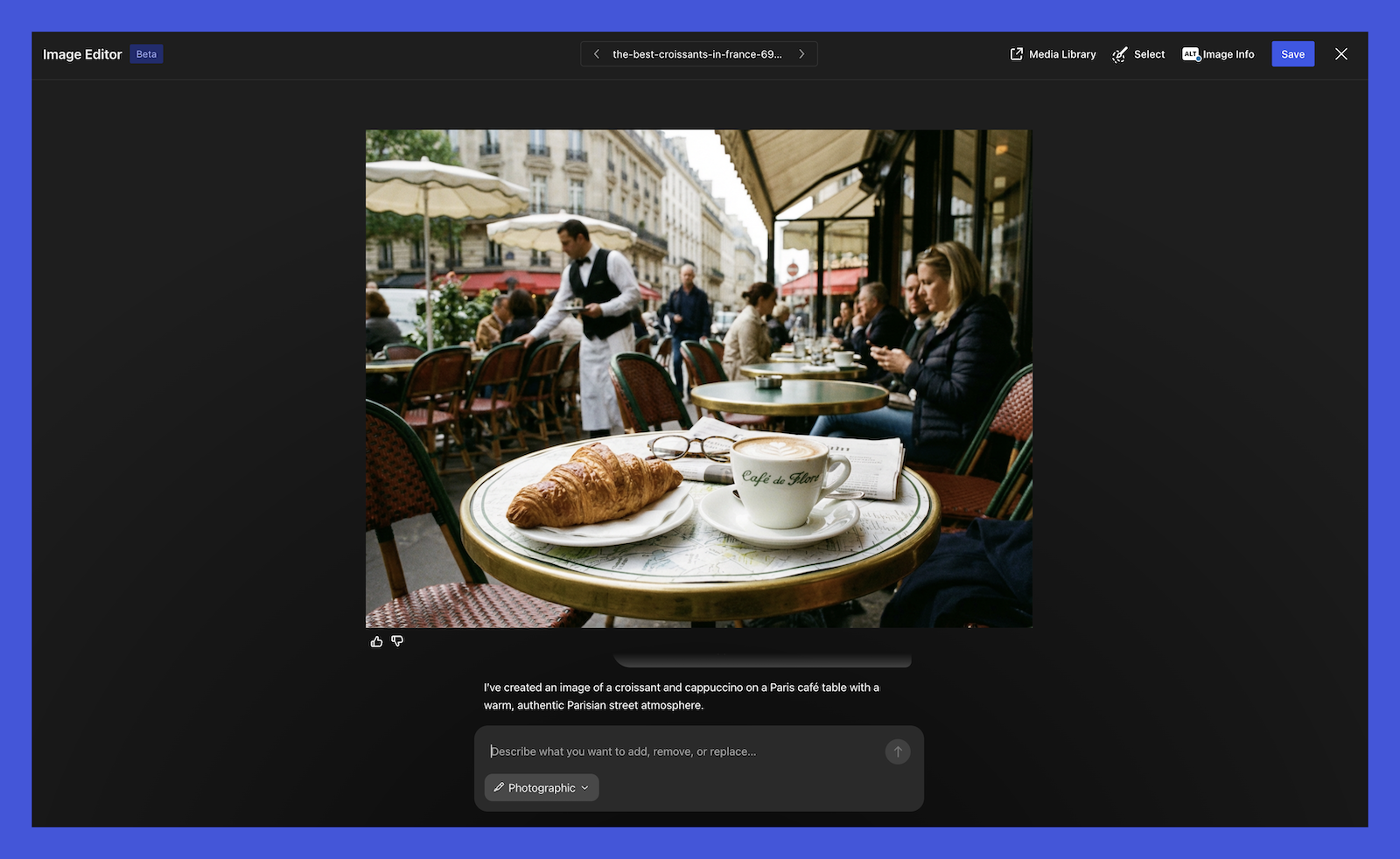
2. Media Library
In the Media Library, you can create and edit images. The AI Assistant can generate new visuals or edit existing ones to fit your site’s style.
You can ask it questions like:
- “Generate an image of a calico cat reading a book.”
- “Update this image to black and white.”
3. Block Notes
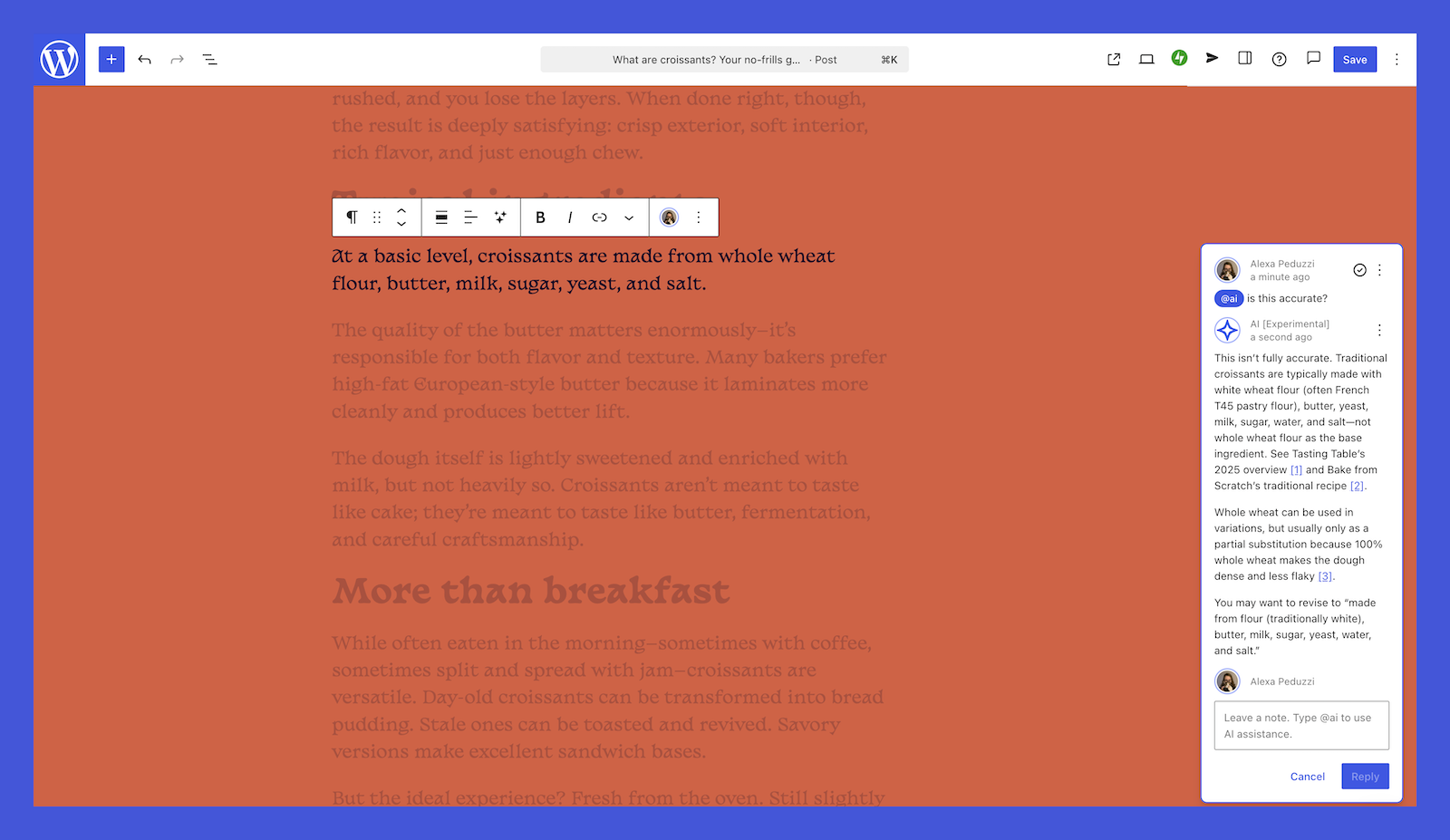
The block notes feature helps you work with teammates in the editor. You can ask the AI Assistant for help:
- “@ai Please fact-check this block.”
- “@ai Give me headline ideas.”
How to Enable the AI Assistant
Enabling the AI Assistant is easy:
- Log in to your WordPress.com account and go to your Sites list.
- Click your site name and go to Settings.
- Scroll down to the AI tools setting.
- Click the toggle to turn it on.
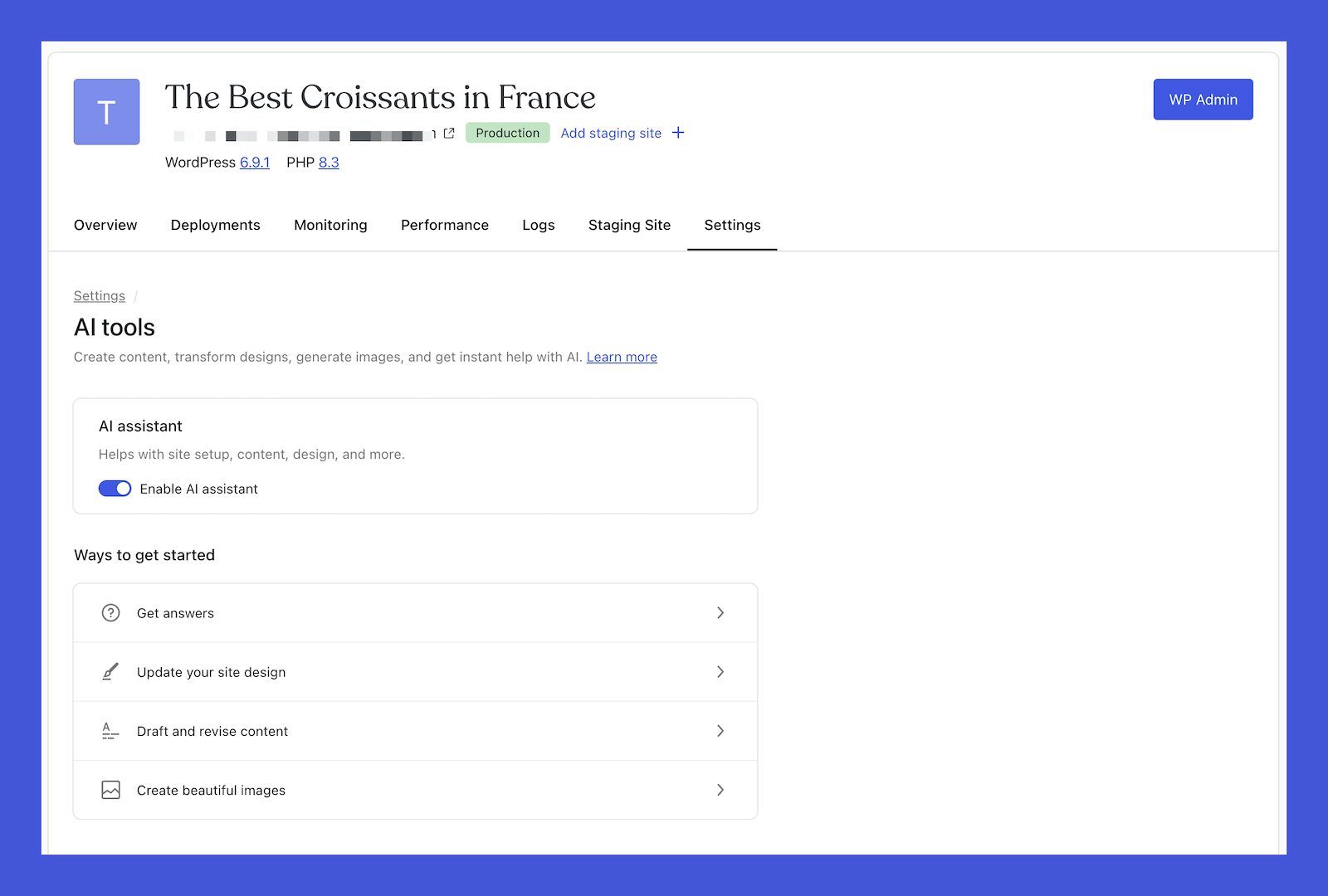
If you buy a site created with the AI website builder, the AI Assistant will be automatically enabled.
Note: The AI Assistant works best with block themes. If you’re using a classic theme, it won’t appear in the editor, but you can still create AI images in the Media Library.
Start Using the AI Assistant Today!
The WordPress AI Assistant is designed to help you without disrupting your workflow. It assists in adjusting layouts, writing content, and making decisions – all within your site.
With this feature, WordPress is smarter than ever. Start using the WordPress AI Assistant today and take your website to the next level!