WORDPRESS
Subdomain vs. Subdirectory – A Clear Guide for Website Owners with WordPress
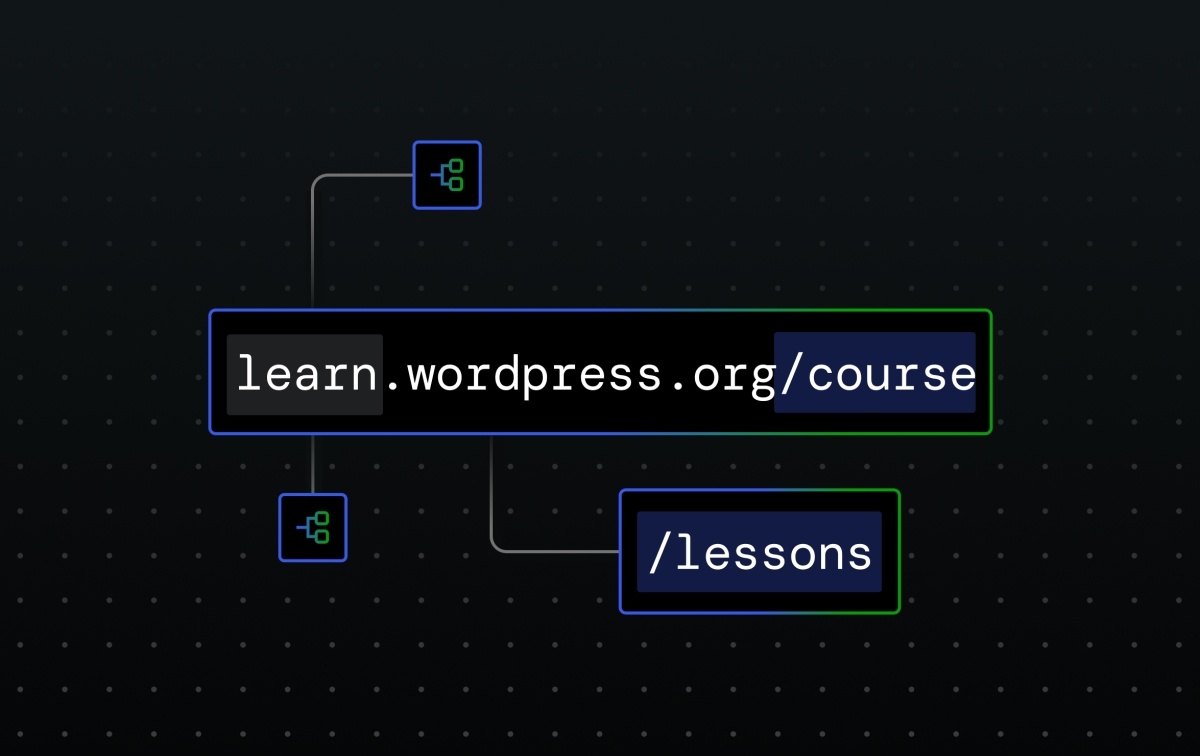
When running a website, one important decision is how to organize your content. You may come across the terms subdomain and subdirectory. Although Google says they are treated equally, many website owners find that changing from subdomains to subdirectories can bring more site traffic. Let’s break down what these terms mean and how to choose the right option for your needs.
What is a Subdomain?
A subdomain is a part of your main domain that comes before the main website name. For example:
- blog.example.com
- shop.example.com
- support.example.com
A subdomain can:
- Point to the same content (like www.)
- Host different content but still be under the same main website (like fr.support.wordpress.com for different languages).
- Operate as an entirely separate website (like blog.example.com hosted on a different server).
Businesses often use subdomains to help organize different types of content. For example, Google uses subdomains like mail.google.com and drive.google.com to provide different services.
When to Use a Subdomain
You might choose a subdomain when you want to:
- Host Client Portals: It allows better management of client projects in a secure space.
- Set Up a Staging Environment: This is a safe testing area for updates before they go live. It’s common to host this on a subdomain.
- Build Authority in a New Niche: Subdomains are treated as independent sites, allowing you to gain authority in a new market.
- Create Distinct Site Sections: If you need a section with different branding or functions (like WordPress Playground), a subdomain is useful.
How to Connect a Subdomain
Connecting a subdomain typically requires more technical steps than setting up a subdirectory. Here’s how to do it if you’re using WordPress:
- Log in to your WordPress account.
- Go to your site’s dashboard and select Domains.
- Click on “Add a domain” and choose “Use a Domain I own.”
- Enter your chosen subdomain (like subdomain.example.com) and follow the steps to connect it.
What is a Subdirectory?
A subdirectory is a folder within your main website. It appears as a page after your main domain, such as:
- example.com/blog
- example.com/shop
- example.com/about
Subdirectories are ideal for smaller websites.
When to Use a Subdirectory
Subdirectories are often better for:
- Simplifying SEO Tracking: It’s easier to analyze data when everything is under one roof.
- Organizing Related Content: Subdirectories allow better flow of SEO benefits, as all backlinks help boost the entire site’s visibility.
- Maintaining Brand Consistency: Having everything under one domain helps keep your branding strong and recognizable.
How to Create a Subdirectory
Creating a subdirectory is straightforward, especially with website builders like WordPress.
- Log in to your account.
- Go to the dashboard and click on Pages → Add Page.
- Adjust the URL in the sidebar.
- Click Publish.
Differences Between Subdomains and Subdirectories
Understanding the differences can help you choose the best option for your website:
- URL Structure: Subdomains look like subdomain.example.com, while subdirectories look like example.com/subdirectory.
- Maintenance: Subdomains require more technical work, including managing multiple DNS records. Subdirectories are easier to manage as they are all part of the same site.
- Indexing and Ranking: Generally, subdirectories can lead to higher search engine rankings since they consolidate SEO benefits.
Which is Better: Subdomain or Subdirectory?
For most bloggers and small businesses, subdirectories are easier to manage and offer better SEO benefits. Subdomains are more suitable for larger websites with distinct sections.
Ultimately, your choice depends on factors like your business size, technical skills, and website goals.
Final Thoughts
In summary, use subdomains for separate content experiences, like client portals or specialized areas. Choose subdirectories to leverage SEO benefits within your main site. No matter what you decide, platforms like WordPress.com can help you set things up easily and host your site securely.
With WordPress.com, you even get a free domain name for the first year, making it simple to start building your online presence today!