SEARCHENGINES
How can I search online without using AI?

Many people want to search the web without seeing answers written by generative AI. Maybe they prefer to read websites themselves, or they worry that an AI answer could be wrong or hide useful sources.
The good news is that you can avoid many AI summaries. The less-good news is that it is not really possible to use a modern search engine with no AI at all.
What does “AI in search” mean?
Search engines do a lot of work before showing you results. They find pages on the web, organise information, remove spam and decide which results are most useful. They may also suggest words as you type.
These tasks use computer systems that learn from data and find patterns. This is a type of AI, even if it does not create a new answer for you.
When people talk about AI in search today, they often mean generative AI. This is AI that creates new text in response to a question. Google’s AI Overviews and AI Mode are examples. They can summarise information from websites, but they can also make mistakes. Their links may not always support the answer, and people who read a summary may visit fewer websites.
So there are two different questions:
- Can I search the web with no AI at all? No. Search engines use AI-like systems for tasks such as sorting and ranking results.
- Can I avoid AI-written answers and summaries? Often, yes.
How can I avoid Google’s AI summaries?
At the time of writing, Google does not offer an official setting to turn off AI Overviews for everyone. But there is a workaround: add &udm=14 to the end of a Google search link. This takes you to Google’s “Web” results, which do not show AI Overviews and some other search features.
You can add it by hand each time, but that can be inconvenient. On desktop, some browsers let you create a custom search engine that adds the setting automatically. This is possible in Firefox and in Chromium-based browsers such as Chrome, Brave and Opera.
The steps depend on your browser, so look for its instructions for adding a custom search engine.
Try another search engine
Some search engines let you switch off generative AI summaries in their settings, or have a version that avoids them by default. Options include:
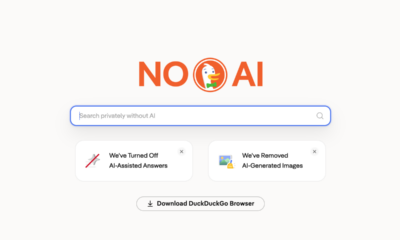
- DuckDuckGo: offers a search page designed to avoid AI answers.
- Brave Search: lets you change AI-related settings.
- Ecosia: provides settings for its AI search features.
The exact settings can change, so check each service’s current options. Some also offer ways to filter out AI-generated images.
Search engines can also get their results from different places. Brave Search has its own search index. DuckDuckGo uses more than one source, including its own crawler and results from Bing. So choosing a different search engine may change both the AI features you see and the sources behind your results.
The bottom line
You cannot completely avoid AI when using a search engine. But you can often avoid generative AI summaries and go straight to a list of websites instead. Try a search engine with AI answers switched off, or use Google’s “Web” results with the &udm=14 setting.
Whatever tool you use, it is wise to open several sources and check important claims rather than relying on one summary.