
TECHNOLOGY
Firefox now offers site-specific VPN use and one-click history clearing
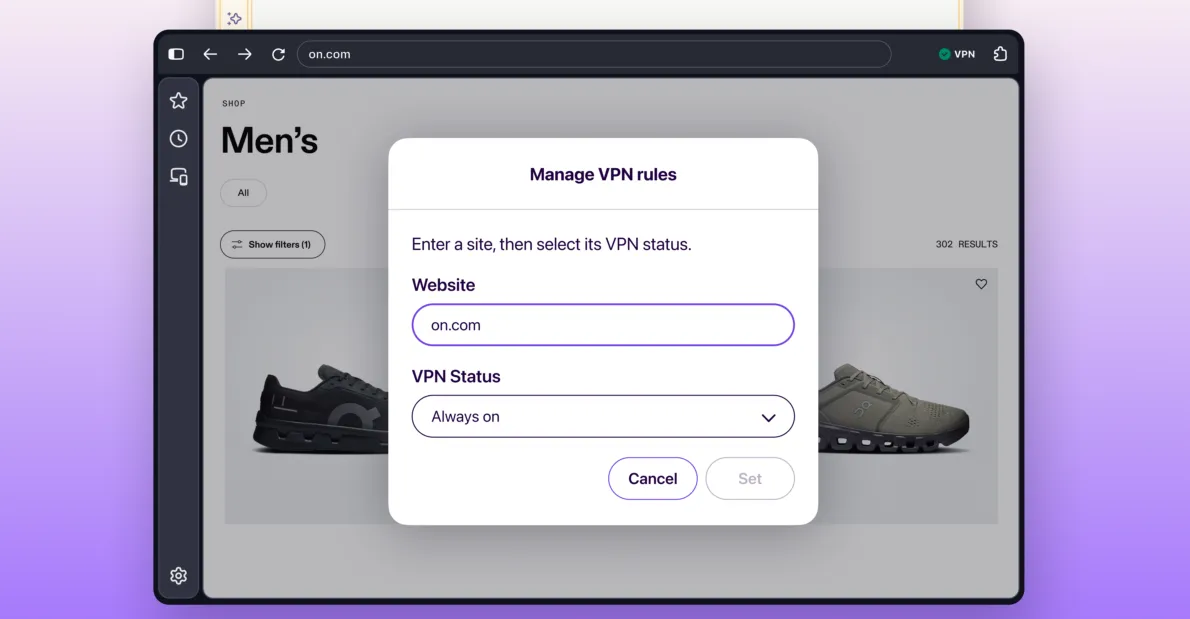
Mozilla released Firefox 161 on Tuesday, adding a setting that lets you choose which sites open with the browser’s VPN enabled. In Firefox’s VPN panel, select “Manage VPN rules” to set specific sites to “always on” or “always off” – so you don’t have to change the setting manually each time you visit them.
Starting Tuesday, Mozilla is also beginning to roll out a new “Fire” button for standard Firefox windows. The button is designed to make it quicker to clear browsing data without leaving the browser or digging through settings: users can access it directly from the toolbar. Before using it, you can choose which kinds of information Firefox should remove, so the cleanup can be tailored to your needs rather than automatically erasing everything. The available options include browsing history, download history, cookies, other site data, temporary files, saved form information, and website permissions and preferences. These categories cover both records of browsing activity and information websites may store or use to remember your settings. You can decide which of them to include when configuring the button. If you set the Fire button to delete all of the listed data, clicking it will sign you out of everything. Firefox will then open a fresh browser window, giving you a clean place to continue browsing.
Tuesday’s Firefox update also adds an option for creating a keyboard shortcut for copying your current tab’s URL, and brings its “read aloud” option in Reader Mode to the Android version of Firefox. Alongside the update, Mozilla says Firefox is also now available directly through the Play Store on cars with Google built-in.